FOV Converter
Translate horizontal and vertical angles, or explore a new screen format with an explicit rule for what stays fixed.
Give a known angle its missing context
The FOV converter needs three pieces of context: an angle in degrees, its axis, and the source image’s width-to-height ratio. A number such as 90° is incomplete on its own. On a 16:9 rectilinear image, 90° horizontal corresponds to 58.72° vertical. Starting with 90° vertical instead gives 121.28° horizontal.
Select the same source and target ratio when you only need to translate axes. Both target results then describe the same projection as the source. The preservation choice has no effect when the aspect ratios are equal, because no image format is changing.
No monitor diagonal or eye distance is required. Those measurements belong to the physical screen calculator. This flow starts with an existing angle and calculates the related angles, whether that starting value came from measured geometry or a documented camera setting.
Choose what survives a format change
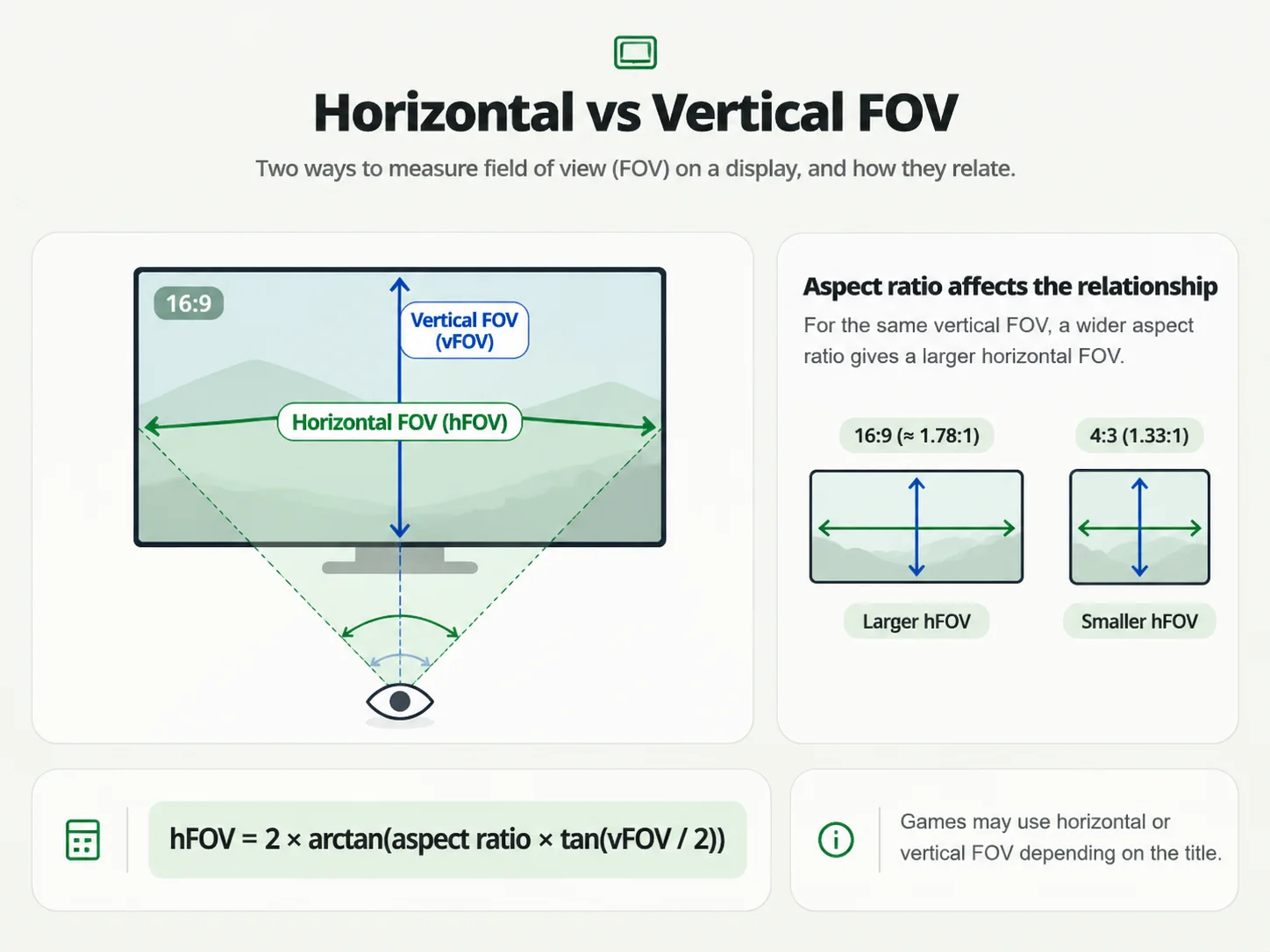
Moving from a 16:9 image to a wider image creates a policy question. The converter cannot know which framing you intend to preserve, so it offers two explicit choices. Keeping vertical FOV retains the top-to-bottom angle and recalculates horizontal coverage. Keeping horizontal FOV retains the side-to-side angle and recalculates the vertical coverage.
| Preservation rule | Target horizontal | Target vertical |
|---|---|---|
| Keep vertical | 105.39° | 58.72° |
| Keep horizontal | 90.00° | 46.40° |
These are two different projections, not competing estimates of one answer. Keeping vertical coverage adds horizontal scenery. Keeping horizontal coverage removes some vertical scenery as the image gets wider. The output states the preserved angle, while the smaller source labels make it possible to compare before and after without mentally reconstructing the input.
Why a proportion of degrees gives the wrong answer
Perspective relates lengths on an image plane to the tangent of half the angle. Let r be image width divided by height. Then tan(h/2) = r × tan(v/2). Solving for either angle gives the formulas used here. All trigonometric evaluation happens in radians, followed by conversion back to degrees for display.
v = 2 × atan(tan(h / 2) / r)
h = 2 × atan(r × tan(v / 2))
For 90° horizontal at 16:9, multiplying 90 by 9/16 would produce 50.625°. The actual vertical result is about 58.72°. That difference is large enough to matter when comparing camera views. The nonlinear relationship also explains why a fixed degree difference does not work equally well at narrow and wide angles.
Use the image ratio that is actually rendered
Aspect ratio describes the active image, which may differ from the desktop or physical panel. Black bars, a cropped game window or a letterboxed viewport can change the relevant rectangle. Enter its width and height ratio. Custom entries accept positive numbers separated by a colon, such as 2560:1080, without requiring you to reduce the fraction.
The nominal 21:9 preset means exactly 21 divided by 9. It is not identical to 3440:1440. Both are available so that an ultrawide marketing category does not silently replace a known image proportion. Custom ratios between 1:20 and 20:1 cover portrait and wide formats while avoiding impractical numerical extremes.
Reverse a conversion without rounding away the answer
Swap source and target takes the current target angle on the selected input axis, makes it the new known angle, and reverses the two aspect ratios. It retains the preservation policy. Swapping twice returns the original projection within floating-point precision; the displayed two-decimal result is not used as the intermediate input.
Copy conversion includes both source angles, both target angles and the preservation rule. Keeping those details together is more useful than sharing an unlabeled number. If clipboard access is blocked, the tool tells you to select the visible values manually. It does not claim success when the browser refuses the action.
Know where this mathematical model stops
This FOV converter assumes a rectilinear perspective image. Fisheye, panoramic, projection-corrected and multi-viewport images can use different relationships. Inputs must be greater than 0° and less than 180°; neither endpoint gives a usable rectilinear perspective frustum. Invalid values clear the numeric results instead of displaying an old answer.
A game may label a slider with a scaled value, a reference-aspect horizontal angle, or a camera-specific number. Confirm its convention before treating a conversion as an in-game setting. The converter does not match mouse sensitivity, preserve aiming feel, or validate game-specific projection code. For a measured driving position, continue with the sim racing measurement workflow.
Before copying an angle
Can I enter radians instead of degrees?
The input accepts degrees only. Convert a radian measurement by multiplying it by 180/π first. Entering a radian number directly would treat that number as degrees and describe a different projection.
Does changing resolution alone change the angle?
Changing pixel count while retaining the same image ratio does not change this conversion. Changing the ratio can change one axis under the policy you select. The software displaying the image still controls its actual camera behavior.